Claude Code Memory, Part 2: Scopes & Precedence
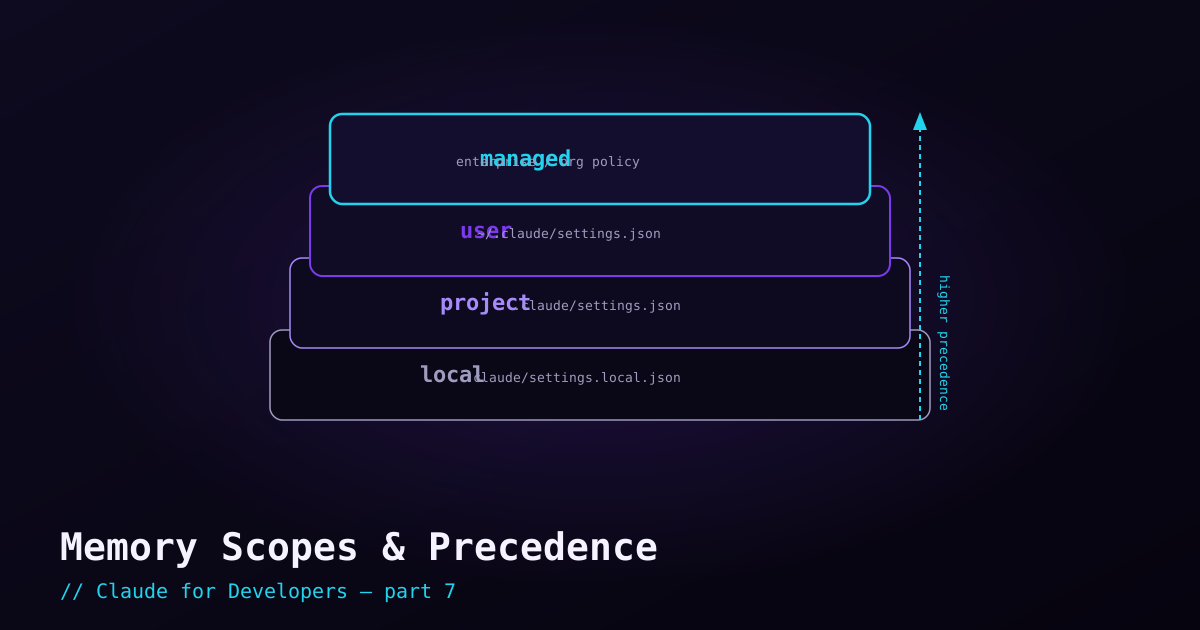
A single project CLAUDE.md is enough to start, but memory is layered. Some instructions are personal (just for you, across all projects). Some are team-wide (shared in the repo). Some are machine-wide policy set by an organization. Knowing which file to put a rule in — and which one wins when two disagree — saves a lot of confusion.
The memory scopes#
From most local to most global, these are the places memory lives:
- Project memory —
CLAUDE.mdat the repo root. Shared with your team via Git. "How this project works." - Project-local memory —
CLAUDE.local.md, also in the project but git-ignored. Your personal notes for this repo that you do not want to commit. - User (global) memory —
~/.claude/CLAUDE.mdin your home directory. Your personal preferences applied to every project. "How I like to work, everywhere." - Managed (enterprise) memory — deployed by an organization at the OS level. Org-wide policy that individuals cannot override. You will only see this in a managed company setup.
Precedence: who wins#
Memory is additive — Claude reads all the applicable files and combines them. But when two instructions conflict, the more authoritative scope carries more weight. From highest authority to lowest:
- Managed / enterprise — org policy. Cannot be overridden by individuals.
- User (global) — your personal
~/.claude/CLAUDE.md. - Project — the committed
CLAUDE.md. - Project-local — your git-ignored
CLAUDE.local.md.
In day-to-day use without an enterprise setup, the practical takeaway is simple: a project’s CLAUDE.md tailors behavior for that repo, your global file sets your personal defaults everywhere, and CLAUDE.local.md lets you add private tweaks on top without committing them.
Rules: instructions that load only when relevant#
Putting everything in one CLAUDE.md costs context on every session. Rules let you scope instructions to where they apply — for example, frontend conventions that only load when Claude is working on frontend files. They live as Markdown files (commonly under a .claude/rules/ directory) and can be matched to file patterns, so the guidance shows up only when it is needed. This keeps your always-on memory small while still having detailed instructions available on demand.
Auto-memory: notes Claude keeps for itself#
Claude Code can also maintain its own memory — notes it writes as it learns your project (a build quirk it discovered, a pattern it figured out) and loads in future sessions. This works alongside your CLAUDE.md files. You do not have to manage it, but it is good to know it exists: it is why Claude sometimes already "knows" something you never explicitly wrote down.
Inspecting and editing memory#
Two commands keep this manageable from inside a session:
/memory— view and edit your memory files (project, local, user)./context— see what is currently loaded into the context window, including which memory is taking up space.
Putting it together#
Commit a focused CLAUDE.md for the team, keep your personal cross-project defaults in ~/.claude/CLAUDE.md, drop private one-off notes in CLAUDE.local.md, and reach for rules when instructions only apply to part of the codebase. That covers every real-world memory need you will hit.
What’s next#
Memory tells Claude *how* to work. Slash commands — the next post — are how you trigger specific actions and even build your own reusable commands.