Subagents: Delegating Work to Focused Helpers
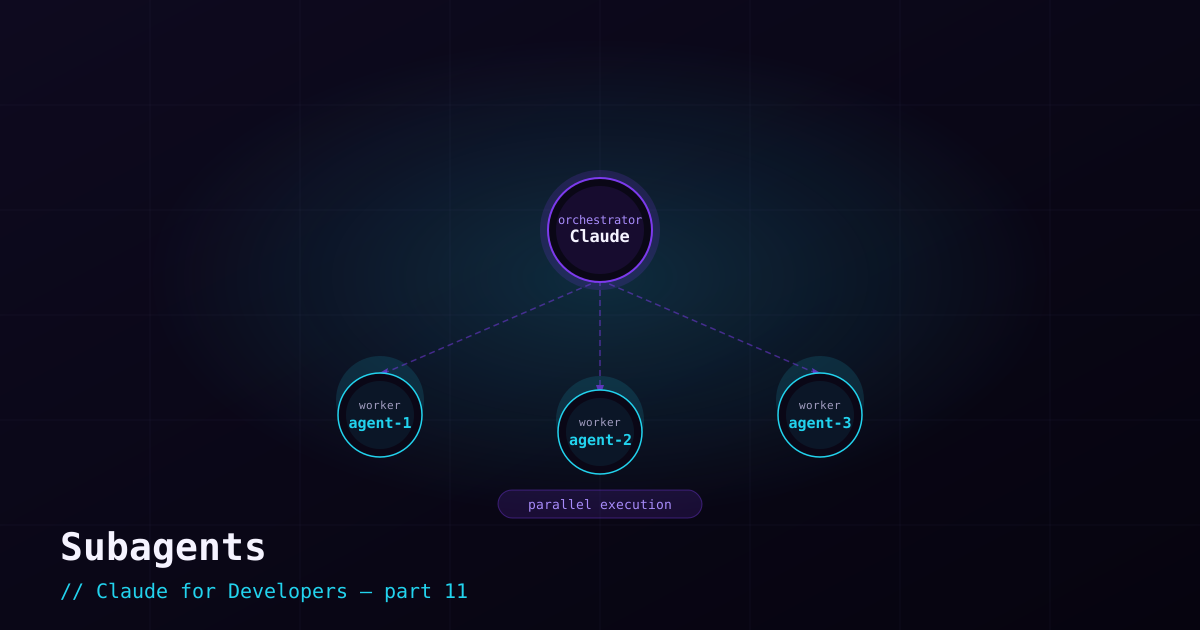
A subagent is a separate Claude worker that your main session can hand a task to. It runs with its own context, its own instructions, and (optionally) a restricted set of tools — then reports a summary back. Subagents are how Claude Code tackles work that benefits from focus, isolation, or parallelism.
Why subagents exist#
Three problems they solve:
- Context hygiene — a big research task ("find every place we call this deprecated API") can flood the main conversation with file dumps. A subagent does the digging in its own context and returns just the conclusion, keeping your main session clean.
- Parallelism — independent pieces of work can run at the same time. Reviewing five files across five subagents is far faster than one after another.
- Specialization — a subagent can have a focused system prompt and limited tools, so it does one job well (e.g. a read-only code reviewer that cannot edit anything).
How delegation happens#
Often Claude delegates on its own: when a task matches a subagent’s description, or when it would otherwise overwhelm the main context, Claude spins one up. You can also ask explicitly — "use subagents to review these four modules in parallel." The /agents command lets you see and manage them.
Building a custom subagent#
A custom subagent is a Markdown file under .claude/agents/, with YAML frontmatter defining its name, description, the tools it may use, and a system prompt. Example — a focused, read-only reviewer:
---
name: security-reviewer
description: Reviews code for security issues. Use when asked to audit changes for vulnerabilities.
tools: Read, Grep, Glob
---

You are a security reviewer. Examine the given code for:
- Injection risks (SQL, command, XSS)
- Secrets or credentials committed to the repo
- Missing authentication or authorization checks
- Unsafe handling of user input

Report findings by severity. You do NOT modify code — you only report.
Two things make this safe and effective: the description tells Claude when to delegate to it, and the `tools` list restricts it to read-only operations — it literally cannot edit files. Now "audit my changes for security issues" routes to a worker built precisely for that.
When to use a subagent (and when not to)#
- Use one for parallel, independent work; for big research that would clutter context; or for a specialized, tool-restricted role.
- Skip it for simple, sequential tasks the main session can do directly — delegating a one-file read just adds overhead.
A useful instinct: reach for subagents when a task naturally splits into parts that do not depend on each other, or when you want a worker that is deliberately limited in what it can touch.
What’s next#
So far Claude works within your project. MCP servers — next — let it reach *outside*: connecting to databases, browsers, and third-party services as first-class tools.